Gone are the days when a family computer was a bulky beige box relegated to a dusty corner. In 2026, the home desktop is a dynamic hub for creativity, productivity, education, and entertainment, demanding more versatility than ever before. Choosing the right machine is no longer about just checking processor speeds; it's about aligning technology with your household's unique digital lifestyle, ensuring it empowers every member for years to come.
This topic matters because a desktop is a significant investment and the centerpiece of your home's digital ecosystem. A well-chosen system can streamline work-from-home tasks, unlock new creative hobbies, handle intense gaming sessions, and manage a family's schedule seamlessly. Conversely, the wrong choice leads to frustration, obsolescence, and wasted money. This guide will demystify the components, clarify the different user profiles, and provide actionable advice to help you navigate the 2026 market, from all-in-one elegance to powerhouse towers, ensuring you find the perfect digital companion for your home.
Understanding Your Home's Digital Profile
Decoding the Core Components in 2026
The heart of any desktop is its Central Processing Unit (CPU). In 2026, look for processors with a balance of cores and clock speed from Intel (Core Ultra series) or AMD (Ryzen 8000/9000 series). For general family use, a modern 6-core CPU is ample. For multitasking, content creation, or high-end gaming, 8 to 12 cores (or more) provide significant headroom. Pay close attention to generational improvements in efficiency and integrated graphics, which are now powerful enough for casual gaming and 4K video playback without a separate graphics card.
Random Access Memory (RAM) is your system's short-term workspace. In 2026, 16GB of DDR5 RAM is the comfortable standard for most households, allowing smooth multitasking between numerous browser tabs, applications, and light creative work. For serious creative professionals, gamers who stream simultaneously, or future-proofing, 32GB is the recommended sweet spot. Storage is dominated by NVMe Solid State Drives (SSDs), which are blisteringly fast. A 1TB SSD is the minimum starting point, with 2TB being ideal for housing a large game library, video projects, and family photo/video archives. Many systems now cleverly pair a fast, smaller SSD for the operating system and applications with a larger, more affordable hard drive for bulk media storage.
The Graphics Processing Unit (GPU) is a critical differentiator. For productivity and media, the integrated graphics in modern CPUs are perfectly sufficient. For gaming, 3D rendering, AI-assisted creative tasks, or high-resolution video editing, a dedicated GPU from NVIDIA (GeForce RTX 40/50 series) or AMD (Radeon RX 7000/8000 series) is essential. In 2026, features like real-time ray tracing and AI frame generation are mainstream, dramatically enhancing visual fidelity and performance. When selecting a GPU, match its power to your monitor's resolution—a mid-range card for 1080p or 1440p gaming, and a high-end card for smooth 4K gameplay.
Form Factor Face-Off: Tower, Compact, or All-in-One?
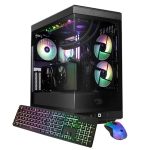
The traditional Mid-Tower or Full-Tower desktop offers maximum flexibility, power, and upgradeability. These cases have ample space for high-end components, multiple storage drives, advanced cooling systems, and future hardware swaps. This is the undisputed choice for enthusiast gamers, professional creatives, and anyone who values the ability to easily upgrade the GPU or add more RAM down the line. The trade-offs are physical size, often more cable clutter, and typically higher noise levels under load. For a dedicated home office or gaming den, the tower remains the king of performance.
Compact and Mini-Form-Factor (SFF/MFF) PCs have seen revolutionary improvements. Brands like Apple with the Mac Studio, and many Windows OEMs, now pack tremendous power into shoebox-sized chassis. These systems are ideal for space-constrained environments like apartments, shared workspaces, or living rooms where you want power without a dominating presence. They offer a cleaner look and are often quieter. However, upgradeability is usually limited to RAM and storage, and they can command a premium for their engineering. They represent a perfect blend of performance and aesthetics for many modern homes.
All-in-One (AIO) computers integrate the internals into the back of a high-quality monitor, offering the ultimate in minimalist, cable-free design. In 2026, AIOs like the latest iMacs and Windows equivalents are surprisingly capable, often using laptop-derived components to deliver strong performance for productivity and light creative work in a stunning package. They are plug-and-play simple, saving tremendous desk space. The compromises are significant: upgradeability is nearly non-existent, repair costs are higher, and they rarely match the peak performance or cooling of a good tower for sustained heavy workloads. They excel as family hubs or in design-focused home offices where simplicity and style are paramount.
Operating System & Ecosystem Considerations
The choice between Windows 11 (and its successors), macOS, and even ChromeOS Flex defines your software experience. Windows 11 remains the most versatile and widely compatible platform, supporting the broadest range of software, peripherals, and games. It's the default for custom-built PCs and most pre-built towers, offering deep hardware customization. In 2026, its AI-powered Copilot+ features are deeply integrated, assisting with productivity, creativity, and system management in contextually aware ways, making it a smart choice for a diverse household.
macOS, exclusive to Apple's Mac desktops (iMac, Mac mini, Mac Studio, Mac Pro), is renowned for its sleek interface, robust security, and seamless integration with the Apple ecosystem. If your household uses iPhones, iPads, and Apple Watches, features like Universal Control, AirDrop, and Continuity create a fluid workflow across devices. macOS is also the industry standard for many creative professionals in video, music, and design. Its stability and unified hardware-software optimization are key selling points, though it comes at a generally higher entry cost and less gaming support.
Do not underestimate the importance of your existing digital ecosystem. Consider the peripherals you own, your preferred cloud services (iCloud, Google Drive, OneDrive), and subscription software. A household invested in Adobe Creative Cloud will have a different optimal platform than one using Microsoft 365 or free web-based tools. Also, assess the built-in features that matter for a family: robust parental controls, easy-to-manage user accounts, and simple backup solutions. The operating system is the environment where your hardware lives; choose one that feels intuitive and connects effortlessly with your family's other tech.
Future-Proofing and Making the Final Decision
Future-proofing is less about buying the absolute most expensive components and more about making strategic choices that extend your system's relevance. Prioritize a motherboard with extra RAM slots and multiple SSD expansion ports (like M.2 slots). Investing in a slightly more powerful CPU and power supply than you currently need provides headroom for a more demanding GPU upgrade in 2-3 years. In 2026, ensure your system supports the latest connectivity standards like Wi-Fi 7, Bluetooth 5.4, and multiple USB4/Thunderbolt 4 ports for fastest data transfer and future peripheral compatibility.
When evaluating pre-built systems from brands like Dell, HP, Lenovo, or Apple, scrutinize the upgrade path. Some OEMs use proprietary motherboards and power supplies that limit future component swaps. Building your own PC (or having one custom-built) offers the ultimate in control and upgradeability but requires more research and effort. For most families, a reputable pre-built from a company with good customer support and a clear upgrade policy is the most practical path. Always read reviews focusing on thermal performance and noise levels, not just benchmark scores.
Finally, align your budget with your identified needs. In 2026, a capable family productivity PC can be found in the $800-$1200 range. A strong hybrid system for gaming and content creation might land between $1500-$2500. An uncompromising creative or gaming workstation can exceed $3000. Allocate funds for essential peripherals: a quality webcam for calls, a comfortable keyboard and mouse, and most importantly, a good monitor that does your computer justice. A 4K IPS panel for creatives or a high-refresh-rate gaming monitor transforms the experience. Your desktop is the engine, but the peripherals are the interface.
Key Takeaways
- ✓ Define your household's primary use case (Productivity, Creative, Gaming, or Hybrid) before evaluating any hardware specifications.
- ✓ In 2026, target a minimum of a 6-core CPU, 16GB of DDR5 RAM, and a 1TB NVMe SSD as the performance baseline for a versatile home desktop.
- ✓ Choose a form factor that fits your space and upgrade goals: towers for maximum power and upgradability, compact PCs for space-saving performance, and All-in-Ones for minimalist simplicity.
- ✓ Select an operating system (Windows, macOS) that aligns with your software needs, existing device ecosystem, and desired user experience.
- ✓ Future-proof strategically by ensuring expansion room (RAM slots, SSD ports), modern connectivity (Wi-Fi 7, USB4), and a robust power supply for potential upgrades.
Frequently Asked Questions
Is it better to buy a pre-built desktop or build my own in 2026?
For most home users, a quality pre-built from a reputable brand is the best choice It offers a single point of warranty, professional assembly, and technical support, saving time and potential frustration. Building your own is rewarding and offers maximum customization and value, but it requires research, time, and comfort with handling components. In 2026, many retailers also offer "custom-built" services where you select the parts and they assemble and test it for you, providing a good middle ground.
How important is a dedicated graphics card (GPU) for a non-gamer?
For general productivity, web browsing, streaming video, and even light photo editing, the integrated graphics in modern Intel Core Ultra and AMD Ryzen 7000/8000 series CPUs are excellent and make a dedicated GPU unnecessary. However, if you plan to edit 4K video, work with 3D models, use AI-powered creative tools, or play any modern games beyond casual titles, a dedicated GPU from NVIDIA or AMD becomes a crucial investment for smooth performance.
All-in-One computers look great, but are they underpowered?
Historically, AIOs traded power for design, but the gap has narrowed. Modern AIOs, especially those using Apple's M-series chips or Intel's latest mobile processors, offer impressive performance for office work, creative tasks like photo editing, and even light gaming. However, they still cannot match the sustained peak performance and cooling of a well-ventilated tower with full-sized, desktop-class components. They are powerful enough for most, but not for enthusiast gamers or professionals running heavy, sustained renders.
How long should I expect a new desktop computer to last?
With strategic choices, a well-configured desktop should provide excellent performance for 5-7 years. The key to longevity is selecting a CPU with more cores than you immediately need and ensuring you have the ability to upgrade components later—adding more RAM, swapping in a larger SSD, or installing a new graphics card in 3-4 years can dramatically extend its useful life, much more so than a laptop.
Mac or PC for a family home?
This depends heavily on your ecosystem and needs. A Mac (iMac, Mac mini) offers simplicity, security, and seamless integration with iPhones and iPads. It's ideal for creative tasks and general use. A Windows PC offers broader software and game compatibility, more hardware choices across all price points, and easier upgradeability. If your family is already in the Apple ecosystem or prioritizes specific creative apps like Final Cut Pro, a Mac is compelling. For gaming, specific business software, or maximum budget flexibility, a Windows PC is the better choice.
Conclusion
Selecting the best desktop computer for your home in 2026 is a deliberate process that blends technical understanding with personal lifestyle needs. By first defining your household's digital profile, you can then intelligently navigate the core components—CPU, RAM, storage, and GPU—to match performance with purpose. The physical form factor, from the expansive tower to the sleek all-in-one, must suit your space and upgrade ambitions, while the operating system should feel intuitive and connect with your broader tech ecosystem. Remember, strategic future-proofing through expandable architecture is more valuable than simply buying the most expensive option today.
Take the insights from this guide and begin your search with confidence. Visit reputable review sites for current model comparisons, check manufacturer websites for the latest configurations, and consider your total budget including essential peripherals. Whether you choose a versatile Windows mini-PC for the family room, a powerful Mac Studio for a creative studio, or a custom gaming tower, the right desktop will become an indispensable and empowering hub for your home's digital life for years to come. Your perfect home desktop is out there—now you have the knowledge to find it.

Nathaniel Foster is an electronics expert focusing on consumer gadgets, smart devices, and innovative technology. He delivers practical reviews, buying guides, and troubleshooting tips to help readers make informed decisions and get the most out of their electronic products.