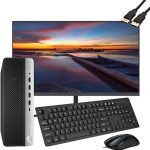
That old desktop computer gathering dust in your closet or basement is more than just obsolete tech; it's a potential lifeline for a student, a tool for a nonprofit, and a critical piece of the global electronic waste puzzle. In 2026, the decision to simply toss it in the trash is not only environmentally irresponsible but also a missed opportunity to make a tangible difference in your community. The question "donate old desktop near me" is the first step toward a solution that benefits everyone.
This topic matters now more than ever. With rapid technological advancement, e-waste is the fastest-growing waste stream globally, and improperly discarded electronics leak harmful toxins into our environment. Conversely, the digital divide persists, with many individuals and organizations lacking access to functional hardware. This comprehensive guide will walk you through the entire process: from preparing your computer for donation, to finding the best local and national organizations, understanding tax implications, exploring recycling options for non-donatable machines, and ensuring your data is permanently secure. You'll learn how to turn your old hardware into hope and responsible resource recovery.
Preparing Your Desktop for Donation: A Step-by-Step Process
Before you search for "donate old desktop near me," proper preparation is crucial. This protects your privacy and ensures the computer is in the best possible condition for its next user. Start by backing up any data you wish to keep. Use an external hard drive, a cloud service, or transfer files to your new computer. Do not proceed until you have verified this backup is complete and accessible. This step is non-negotiable, as the next phases will make data recovery impossible.
The next and most critical step is data sanitization. Simply deleting files or reformatting the hard drive is insufficient, as data recovery software can often retrieve "deleted" information. You must use a disk-wiping utility that meets the Department of Defense (DoD) 5220.22-M standard for data sanitization. Free software like DBAN (Darik's Boot and Nuke) is a highly trusted option. This process overwrites all the data on the drive with random characters multiple times, rendering the original information permanently unrecoverable. For newer SSDs, check the manufacturer's website for a secure erase tool, as the wiping process can differ from traditional hard drives.
Finally, gather all the original components. This includes the power cord, keyboard, mouse, and any software installation discs or license keys you may have. If you have the original monitor and wish to donate it, ensure it is in working order. Wipe down the exterior of the desktop, monitor, and peripherals with a soft, slightly damp cloth to remove dust. Placing all items together in a box not only makes it easier for you to transport but also presents a complete, ready-to-use package for the receiving organization, significantly increasing its utility and value.
Where to Donate: Local Charities, National Programs & Specialized Options
Your local community is often the best place to start. Many towns have nonprofit organizations, community centers, schools, and libraries that accept functional computer donations. Use search terms like "donate old desktop near me" along with your city name, or check with local shelters, vocational training centers, and houses of worship. These organizations frequently have direct connections to individuals in need and can put your donation to immediate use. For example, a local family resource center might provide it to a low-income student for remote learning.
National organizations offer structured, widespread programs. Goodwill Industries, in partnership with Dell, runs the Dell Reconnect program, accepting any brand of computer at participating locations for responsible refurbishment or recycling. The Salvation Army also accepts electronics at many of its family stores. For a more education-focused approach, consider Computers with Causes, which vets recipients and provides a detailed donation receipt. These national options often have easy-to-use online tools to find drop-off locations and clarify what they can and cannot accept.
For specialized impact, look for nonprofits that refurbish technology for specific communities. Organizations like Human IT focus on getting technology to refugees, low-income families, and other marginalized groups. Some groups specifically serve veterans, seniors, or artists. Furthermore, many manufacturers and retailers, such as Best Buy and Staples, offer in-store recycling kiosks or events where you can drop off old electronics, often for free, with some partnering with recyclers who prioritize donation when possible. Researching these specialized avenues ensures your desktop supports a cause you care deeply about.
The Logistics: Tax Deductions, Pickup Services, and What to Expect
Donating your desktop can provide a valuable tax deduction if you itemize your deductions. The key is documentation. First, ensure the organization you donate to is a IRS-recognized 501(c)(3) public charity; you can ask for their EIN (Employer Identification Number) and verify their status on the IRS website. You are responsible for determining the fair market value of your donation—this is what a willing buyer would pay for the computer in its current condition, not its original purchase price.
To substantiate your deduction, you must get a written acknowledgment from the charity. For donations valued under $250, a receipt from the organization with its name, date, and location of the donation, and a description of the property is sufficient. For donations valued at $250 or more, the acknowledgment must also include a statement of whether you received any goods or services in exchange for the donation. It is highly advisable to take clear photographs of the desktop and its components as additional proof of condition. Websites like TurboTax ItsDeductible or the IRS's own guide can help you determine a fair value.
Logistically, many larger charities offer free pickup services for bulky items like desktop computers, especially if you are donating multiple items. When scheduling a pickup, be specific about what you have. For drop-offs, check the organization's hours and any specific procedures. Some may require an appointment. Expect that the organization will test the computer; if it is not functional or is too old (generally, machines over 8-10 years old may not run modern software efficiently), they will likely responsibly recycle it through an e-waste partner. Always ask about their downstream process to ensure alignment with your values.
When You Can't Donate: Responsible E-Waste Recycling Explained
Not every old desktop is suitable for donation. If the computer is non-functional, extremely outdated (e.g., cannot run a supported operating system), or missing critical components, its next stop should be responsible recycling. "Responsible" is the operative word. E-waste contains valuable materials like gold, copper, and aluminum, but also hazardous substances like lead, mercury, and cadmium. Irresponsible "recyclers" may ship waste to developing countries where it is crudely processed, poisoning local communities and environments.
To find a certified recycler, look for certifications like e-Stewards or R2 (Responsible Recycling). These standards ensure the recycler uses safe, ethical methods and does not export hazardous waste. Your local municipal waste authority is an excellent starting point; many cities and counties host periodic e-waste collection events or maintain permanent drop-off facilities. Retailers like Best Buy and Staples accept a wide range of electronics for recycling, often for free, though they may charge a small fee for monitors due to the specialized handling required.
Before recycling, you must still perform data sanitization as described in Section 1. Do not assume the recycler will do this for you. For ultimate peace of mind, especially if the drive is damaged and cannot be wiped via software, you can physically destroy it. This involves removing the hard drive from the desktop casing and either using a dedicated hard drive shredder (some recycling events offer this) or, as a last resort, drilling several holes through the drive platters yourself. Once data security is addressed, you can recycle the components knowing you've protected both the planet and your privacy.
Maximizing Your Impact: Beyond the Single Desktop Donation
Your effort to donate one desktop can inspire broader change. Consider organizing a tech drive in your neighborhood, office, or apartment building. Partner with a local charity or certified recycler to set a date for collection. This amplifies the environmental and social impact, diverting hundreds of pounds of e-waste from landfills and potentially equipping an entire classroom or community lab. Promote the drive through social media, flyers, and community boards, clearly outlining what items are accepted and the benefits of participation.
Advocate for responsible electronics lifecycle management in your workplace. Many businesses cycle through computers every 3-5 years. Encourage your company's IT or facilities department to establish a partnership with a certified e-waste recycler or a nonprofit that refurbishes for schools. Businesses often have more leverage to negotiate bulk pickup and secure detailed documentation for corporate social responsibility (CSR) reporting and tax purposes. This institutional shift has a monumental impact compared to individual action.
Finally, let your experience inform future purchases. Support manufacturers that design for longevity, repairability, and offer robust take-back programs. Consider buying refurbished electronics yourself from reputable nonprofits, which are often tested, warrantied, and sold at a fraction of the cost, closing the sustainability loop. By thinking of your electronics' end-of-life at the point of purchase, you become a more conscious consumer, reducing future e-waste and supporting a circular economy for technology.
Key Takeaways
- ✓ Always perform a complete data wipe using DoD-standard software before donating or recycling your desktop to protect your personal information.
- ✓ Research and choose donation venues carefully, from local charities to national programs, to ensure your working computer directly benefits those in need.
- ✓ Obtain a proper receipt from a qualified 501(c)(3) charity for any donation to claim a tax deduction based on the fair market value.
- ✓ For broken or obsolete machines, use e-Stewards or R2-certified recyclers to ensure ethical and environmentally sound e-waste processing.
- ✓ Extend your impact by organizing community tech drives, advocating for responsible practices at work, and supporting sustainable electronics brands.
Frequently Asked Questions
How old is too old to donate a desktop computer?
A general rule is that if the desktop is over 8 years old, cannot run a currently supported operating system (like Windows 10/11 or a recent Linux distribution), or has less than 4GB of RAM, it may not be useful for most charities. They seek machines that can run modern educational and productivity software. Contact your chosen organization directly with the specifications to confirm. If it's too old, opt for responsible recycling instead.
Will charities accept a desktop that is missing parts, like a keyboard or power cord?
It depends. Many organizations prefer complete systems because sourcing missing parts adds cost and labor. Some larger refurbishers have warehouses of spare parts and may accept it. Always call ahead. If you are missing critical components like the power cord or hard drive, be upfront. It's better to recycle an incomplete system than to burden a charity with unusable e-waste.
Can I donate a desktop computer that doesn't turn on?
Typically, no. Most donation centers are not equipped to repair hardware. Their mission is to refurbish functional or lightly flawed machines cost-effectively. A non-booting computer is almost always a candidate for recycling. However, some specialized vocational training programs might use broken electronics for teaching repair skills—call local technical high schools or community colleges to inquire.
What is the difference between donating to a local charity versus a big box store drop-off?
Donating locally often means your computer will be directly refurbished and given to someone in your community, providing immediate, visible impact. A big box store drop-off (like at Best Buy) typically sends the device to a large-scale recycler/refurbisher partner; working units may be refurbished and sold, with proceeds sometimes going to charity, while non-working units are recycled. The local option offers more direct community benefit, while the big box option offers maximum convenience.
Are there any costs associated with donating or recycling my old desktop?
Donating a working computer is almost always free. For recycling, many municipal programs and retailers accept desktops and peripherals for free, but they often charge a fee for monitors (usually $10-$30) due to the cost of processing cathode ray tubes (CRTs) or LCD panels. Always check the fee schedule before you go. Some for-profit e-waste haulers may charge a pickup fee.
Conclusion
Navigating the journey from "donate old desktop near me" to a successful donation or recycling outcome is a powerful act of civic and environmental responsibility. By thoroughly preparing your machine, choosing the right recipient, understanding the tax and logistical details, and responsibly handling non-donatable equipment, you ensure that your obsolete technology serves a greater purpose. You are not just clearing clutter; you are bridging the digital divide, conserving precious resources, and preventing harmful pollution.
Take action this week. Locate that old desktop, follow the steps to secure your data, and use the resources outlined here to find a local charity, national program, or certified recycler. Share this knowledge with friends and family to multiply the positive impact. In 2026, our collective approach to technology must be circular—your conscious choice today is a critical part of building a more sustainable and equitable digital future for all.

Nathaniel Foster is an electronics expert focusing on consumer gadgets, smart devices, and innovative technology. He delivers practical reviews, buying guides, and troubleshooting tips to help readers make informed decisions and get the most out of their electronic products.