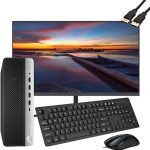
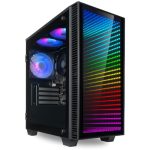
Your trusty desktop PC has finally sputtered its last, or perhaps a sleek new model has taken its place on your desk. Now, the old machine sits there, a silent monolith of plastic, metal, and circuitry. Tossing it in the trash might seem like the easiest solution, but that single act contributes to a growing global crisis of electronic waste, or e-waste, which is now the fastest-growing waste stream on the planet. In 2026, with technology evolving faster than ever, knowing how to properly recycle your desktop PC is not just an eco-friendly choice—it's a critical responsibility.
This topic matters because electronics contain valuable resources like gold, copper, and rare earth elements, alongside hazardous materials like lead, mercury, and cadmium. When improperly disposed of, these toxins can leach into soil and water, while the recoverable materials are lost forever, forcing more environmentally damaging mining. This comprehensive guide will walk you through every step of the process, from pre-recycling preparation to choosing the right recycler, ensuring your old PC gets a second life or is broken down safely. You'll learn how to protect your data, understand the recycling journey, and even discover ways to give your machine a new purpose.
Step 1: The Critical Pre-Recycling Checklist
Before you even think about dropping off your PC, the most crucial step is securing your personal data. Simply deleting files or formatting the hard drive is insufficient, as data recovery software can easily retrieve information. For absolute security, you must perform a full data wipe using a drive sanitization tool. These programs overwrite every sector of your drive with random data multiple times, following standards like the U.S. Department of Defense's DoD 5220.22-M. Many free and paid software options are available in 2026 that make this process straightforward, even for non-technical users. Consider this step non-negotiable; it is the digital equivalent of shredding confidential documents.
Next, take a full inventory of your system's components. A standard desktop tower contains several parts that may have separate recycling or reuse value. The primary components include the central processing unit (CPU), random access memory (RAM) modules, the hard disk drive (HDD) or solid-state drive (SSD), the power supply unit (PSU), the motherboard, and any add-in cards like a graphics processing unit (GPU). Detaching these parts isn't always necessary for recycling, but it is essential if you plan to sell or donate functional components individually. For example, a high-end GPU from a few years ago might still be valuable to a budget gamer or for a secondary build.
Finally, gather all peripherals and accessories. Your monitor, keyboard, mouse, speakers, webcam, and cables are all part of the e-waste stream and should be recycled alongside the tower. If you have the original packaging, especially the molded foam for the monitor, use it for transport to prevent damage. Create a simple list of everything you're including. This not only helps the recycler but also ensures you don't accidentally leave a device containing data, like an external hard drive, in a forgotten drawer. This preparatory phase sets the stage for a smooth, secure, and efficient recycling process.
Exploring Your Options: Reuse, Donate, or Recycle?
Recycling is the last step in a responsible hierarchy of disposal. Before you recycle, always assess if your PC can be reused. A machine that feels slow to you might be perfectly adequate for basic tasks like web browsing, word processing, or as a learning computer for a child. Performing a clean installation of the operating system can often breathe new life into an older system. In 2026, lightweight Linux distributions are more user-friendly than ever and can resurrect hardware that struggles with modern Windows or macOS versions. Reuse is the most environmentally beneficial option, as it extends the product's life and delays its entry into the waste stream.
If the system is functional but no longer suits your needs, consider donation. Many non-profit organizations, schools, community centers, and libraries welcome donations of working computers. Organizations like Human-I-T, World Computer Exchange, and local charities often refurbish donated tech for low-income families, students, or non-profits. Before donating, ensure you have completed the data wipe process and, if possible, include the operating system license or reinstall a fresh OS. Contact the organization first to understand their specifications and needs; some may not accept very old hardware due to the cost and difficulty of sourcing compatible parts for repairs.
When reuse or donation isn't feasible, responsible recycling is the correct path. This is for PCs that are truly non-functional, severely damaged, or so obsolete that no viable user could utilize them. The goal of recycling is to divert toxic materials from landfills and recover precious metals and plastics for use in new products. It's important to distinguish this from simply handing your PC to any "e-waste" collector; you must seek out certified recyclers who follow strict environmental and data security protocols, which we will cover in a later section. Choosing the right end-of-life path maximizes environmental benefit and social good.
Finding a Certified and Responsible Recycler
Not all electronics recyclers are created equal. The most critical factor is certification. In 2026, look for recyclers certified by e-Stewards or R2 (Responsible Recycling) standards. These certifications are audited and ensure the recycler adheres to the highest environmental, health, and safety standards. They prohibit the export of hazardous e-waste to developing countries and mandate safe downstream processing. You can easily find certified recyclers in your area by using the online locator tools on the e-Stewards and Sustainable Electronics Recycling International (SERI) websites. This certification is your primary guarantee that your PC won't end up in a toxic dump overseas.
Many manufacturers and retailers offer robust take-back programs as part of their environmental stewardship. Major brands like Dell, HP, Lenovo, and Apple have mail-in or drop-off recycling initiatives, often for free, even if you are not purchasing a new product. Large electronics retailers also provide collection bins or events. These programs are convenient and generally reliable, as major corporations partner with certified recyclers to maintain their reputations. Before using any program, it's still wise to verify their recycling partners and policies on data destruction. Some services may charge a small fee for monitor recycling due to the cost of processing cathode ray tubes (CRTs) or LCD panels.
For local convenience, check with your municipal waste management authority. Many cities and counties host periodic e-waste collection events or maintain permanent drop-off facilities. While these are often excellent options, take a moment to inquire about who their processing partner is. A quick question like, "Are you e-Stewards or R2 certified?" can provide peace of mind. Be wary of free collection events that lack transparency about their final destination. Responsible recycling might involve a small fee, but it's a worthwhile investment in environmental protection and data security, ensuring the complex materials in your PC are handled with expertise.
The Recycling Journey: What Actually Happens to Your PC?
Once your PC arrives at a certified recycling facility, it begins a detailed, multi-stage deconstruction process. The first step is manual disassembly. Skilled technicians remove components like batteries, capacitors, and mercury-containing lamps by hand for special handling. They also identify items that can be refurbished for reuse, such as working RAM or CPUs, which are tested and separated. This manual stage is crucial for both safety and maximizing material recovery. It ensures hazardous elements are contained and that high-value components get a second life, which is more energy-efficient than shredding and material reclamation.
Next, the remaining chassis and components undergo shredding. The entire unit, or large sub-assemblies, are fed into industrial shredders that break them down into small, palm-sized pieces. This mixture of plastics, metals, and glass is then subjected to a sophisticated series of separation processes. Magnetic separation pulls out ferrous metals like steel. Eddy current separators use magnetic fields to repel non-ferrous metals like aluminum and copper. Advanced techniques like infrared scanning and water separation further sort different types of plastics. The end result is streams of purified materials: copper wire, aluminum heatsinks, steel frames, and various plastic polymers.
These separated materials are then sold as commodities to smelters and manufacturers who use them as feedstock for new products. The recovered metals might become part of a new car, a bicycle frame, or even another computer. Plastics are often downcycled into items like park benches, flooring, or insulation. The hazardous materials, like lead from solder or circuit boards, are carefully managed and stabilized, often used in specialized industrial processes or disposed of in highly secure hazardous waste landfills. This cradle-to-cradle approach closes the loop, reducing the need for virgin material extraction and minimizing the environmental footprint of our digital lives.
Special Considerations and The Future of PC Recycling
Certain PC components require extra attention. Monitors, especially older CRT models, contain leaded glass and require specific processing. Even modern LCD/LED screens may contain mercury in the backlighting. Laptop batteries and any UPS battery backups are considered hazardous due to their chemical composition and must never be placed in regular trash. A certified recycler will handle these items appropriately. For individual components, if you've upgraded parts over the years, old hard drives should always be sanitized before recycling, and lithium coin cell batteries on motherboards should noted, as they need separate handling.
Looking ahead to 2026 and beyond, the philosophy of recycling is evolving into "urban mining." This concept views e-waste not as trash, but as a rich, concentrated ore of valuable metals located in our cities. Innovations in recycling technology, such as more efficient chemical leaching processes and advanced robotic disassembly, are making material recovery more profitable and less energy-intensive. Furthermore, the Right to Repair movement is gaining legal traction worldwide, pushing manufacturers to design more modular, upgradeable, and repairable PCs from the start, which will significantly reduce future e-waste generation by extending product lifespans.
As a consumer, you can advocate for and support this sustainable future. When purchasing a new PC, consider companies with strong environmental, social, and governance (ESG) ratings and clear commitments to using recycled materials in their products and offering take-back programs. Choose devices designed for upgradability. Your power as a consumer drives industry change. By responsibly recycling your current desktop and making informed choices for your next one, you participate directly in a circular economy that values resources, protects the environment, and builds a more sustainable technological foundation for the future.
Key Takeaways
- ✓ Always perform a certified data wipe using drive sanitization software before letting go of your PC to protect your personal information.
- ✓ Before recycling, explore options to reuse or donate a functional computer to extend its lifespan, which is the most eco-friendly choice.
- ✓ Select an electronics recycler certified by e-Stewards or R2 standards to ensure ethical, environmentally sound processing and no overseas dumping.
- ✓ Understand that responsible recycling involves manual disassembly, shredding, and advanced material separation to recover valuable metals and plastics.
- ✓ Special components like monitors, batteries, and laptops require careful handling and should only be processed by certified professionals.
Frequently Asked Questions
Is it safe to throw my old PC in the regular trash?
No, it is illegal in many jurisdictions and always environmentally harmful. Desktop PCs contain hazardous materials like lead, mercury, and cadmium that can leach from landfills into groundwater. They also contain valuable, recoverable resources. Always use a proper e-waste recycling channel.
I removed my hard drive; can I just recycle the rest of the PC normally?
While removing the primary storage drive is a good step for data security, the remaining components still contain toxic substances and should be recycled properly. Other parts, like the motherboard, may also have small amounts of stored data in firmware. It's best to send the entire unit to a certified recycler who can handle all materials safely.
Are there any costs associated with PC recycling?
It varies. Many manufacturer take-back programs and municipal collection events are free for standard desktop towers. However, there is often a fee for recycling monitors, due to the more complex processing required. Certified recyclers may charge a small fee to cover their responsible handling costs, which is a worthwhile investment.
How can I be sure my data is truly destroyed by the recycler?
When using a certified e-Stewards or R2 recycler, you can request a "Certificate of Data Destruction" after the process is complete. This document provides legal proof that your data was sanitized using industry-standard methods. Always ask about this service beforehand and choose a recycler that offers it.
My PC is very old (e.g., from the early 2000s). Is it even worth recycling?
Absolutely. Older electronics often have higher concentrations of precious metals like gold in their connectors and circuit boards. More importantly, they frequently contain more hazardous substances, like lead-based solder and mercury, making proper disposal critical to prevent environmental contamination. Age is not a reason to skip recycling.
Conclusion
Responsibly retiring a desktop PC in 2026 involves much more than simply clearing off your desk. It is a deliberate process that safeguards your personal data, maximizes the utility of the device through reuse or donation, and ultimately ensures its materials are recovered or neutralized through certified recycling. By understanding the journey from disassembly to material separation, we can appreciate the complexity and importance of proper e-waste management. Each step you take—from data wiping to selecting an e-Stewards certified facility—contributes directly to a healthier planet and a more sustainable circular economy.
The lifecycle of your technology is ultimately in your hands. As you move on to newer devices, let the responsible retirement of your old hardware be a standard practice. Share this knowledge with friends, family, and colleagues. Advocate for better product design and stronger recycling infrastructure in your community. By making informed choices today, you help ensure that the digital advancements of tomorrow are built on a foundation of environmental responsibility and resource stewardship. Your old PC has reached the end of its line with you, but its journey—and your positive impact—is far from over.

Nathaniel Foster is an electronics expert focusing on consumer gadgets, smart devices, and innovative technology. He delivers practical reviews, buying guides, and troubleshooting tips to help readers make informed decisions and get the most out of their electronic products.