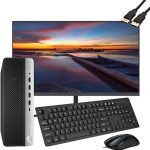
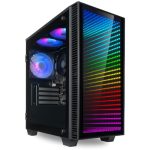
That old desktop computer gathering dust in your closet or under your desk is more than just obsolete tech; it's a potential source of cash and a step towards a more sustainable planet. In 2026, the market for used electronics is more robust and accessible than ever, driven by a combination of economic pragmatism, a thriving DIY and retro-gaming community, and growing environmental consciousness. Whether it's a high-end gaming rig from a few years ago or a basic office machine, your desktop has value waiting to be unlocked.
This comprehensive guide is designed to navigate you through the entire process of selling your old desktop computer in today's market. You will learn how to accurately assess your machine's worth, the critical steps to prepare it for sale to protect your data and boost its appeal, and the best platforms to connect with the right buyers. We'll also cover negotiation tactics, safe transaction methods, and the eco-friendly alternatives if selling isn't viable. By the end, you'll be equipped to turn your dormant hardware into dollars efficiently and securely.
Assessing Your Desktop's True Market Value
The first and most crucial step is determining a realistic price for your desktop. This isn't about what you paid for it years ago, but about its current market value based on specifications, condition, and demand. Start by documenting every detail of your system. Use the built-in System Information tool on Windows (type "msinfo32" in the search bar) or "About This Mac" on macOS. You need the exact processor model (e.g., Intel Core i7-12700K or AMD Ryzen 5 5600X), amount and type of RAM (e.g., 16GB DDR4), storage (e.g., 512GB NVMe SSD + 1TB HDD), and the graphics card model (e.g., NVIDIA RTX 3070 or "integrated graphics"). For pre-built brands like Dell or HP, note the exact model number.
Next, research completed listings on platforms like eBay to see what similar, actually sold systems have fetched, not just what sellers are asking. Consider niche markets: a PC with a powerful, older GPU might be valuable to a retro gaming enthusiast, while a machine with lots of RAM and core count could appeal to a home lab user. Factor in wear and tear—scratches on the case, noisy fans, or non-functional ports significantly decrease value. In 2026, systems without a Solid State Drive (SSD) as the primary drive are particularly hard to sell, as they feel sluggish compared to modern standards.
Finally, decide if you're selling the complete system, parting it out, or selling just the tower. Parting out (selling the GPU, RAM, CPU, etc., individually) often yields a higher total sum but requires more time, effort, shipping, and knowledge. Selling the complete tower is simpler and appeals to buyers wanting a ready-to-use system. Including peripherals like a monitor, keyboard, and mouse in a bundle can make your listing more attractive for a local sale, but be prepared to accept a slightly lower overall price for the convenience you're offering the buyer.
Essential Pre-Sale Preparation: Data and Physical Cleanup
Before you even take a photo, you must ensure the desktop is safe to sell. Data security is paramount. Simply deleting files or formatting the drive is insufficient, as data recovery tools can often retrieve information. For most users, performing a full, clean installation of the operating system is the best practice. On Windows, use the "Reset this PC" feature and choose "Remove everything" and "Clean the drive," which performs a more secure wipe. For macOS, boot into Recovery Mode and use Disk Utility to erase the main drive, then reinstall macOS. This gives the buyer a fresh start and guarantees your personal data is irretrievable.
Physically cleaning the computer dramatically improves its perceived value. Use a can of compressed air to blast dust out of the heatsinks, fans, and power supply (do this outdoors or in a well-ventilated area). Wipe down the case, monitor, and any peripherals with a microfiber cloth slightly dampened with isopropyl alcohol or a mild electronics cleaner. For stubborn grime on keyboards, use cotton swabs. A clean computer looks well-maintained, suggesting to the buyer that it has been treated with care, which justifies a higher asking price.
Gather all original components and accessories. If you have the original box, manuals, driver discs (though obsolete), and purchase receipt, including these can be a major selling point. Take clear, well-lit photos from multiple angles: the front and back of the tower, the interior if it's clean and presentable, the monitor screen (powered on with a neutral background), and any accessories. For the interior shot, highlight any high-value components like the graphics card or after-market cooling. Honesty is key—photograph any significant scratches or damage to manage buyer expectations and avoid disputes later.
Choosing Your Sales Platform: Online Marketplaces vs. Local vs. Buyback
Where you sell your desktop depends on your goals for speed, price, and convenience. Online marketplaces like eBay offer the widest audience and potential for the highest price, especially for rare or high-performance components. They are ideal for parting out a system or selling a specialized gaming PC. However, they involve listing fees, final value fees, the hassle and cost of shipping a heavy, fragile item securely, and a higher risk of buyer scams. Always use tracked and insured shipping for a desktop.
For local sales, platforms like Facebook Marketplace, Craigslist, or Nextdoor eliminate shipping worries and fees. They are excellent for selling complete systems, especially bulkier towers or full setups with monitors. The key is safety: always meet in a well-lit, public place like a police station parking lot (many have designated "safe exchange" zones), bring a friend, and only accept cash or a secure, instant peer-to-peer payment like Cash App in person after inspection. Be prepared for negotiation and no-shows, but the transaction is immediate and you walk away with cash.
Trade-in and buyback programs offer the least hassle. Companies like Amazon, Best Buy, and specialized electronics recyclers like Gazelle or Decluttr provide instant quotes online. You ship the item for free (they provide a label) and receive payment after inspection. This is the fastest, safest method, but you will typically receive only 30-60% of the item's potential market value. In 2026, some manufacturers like Apple and Dell also have robust direct buyback programs. This route is perfect for low-to-mid-value machines, or for those who prioritize convenience and guaranteed, secure disposal over maximizing profit.
Crafting a Compelling Listing and Navigating the Sale
Your listing is your sales pitch. Write a clear, honest, and detailed title and description. A good title example: "2022 Custom Gaming PC – AMD Ryzen 7 5800X, RTX 3080, 32GB RAM, 1TB NVMe SSD." The description should reiterate the full specs, note the condition (e.g., "Case has minor scratch on left side, shown in photos"), mention the fresh OS installation, and state what is included (just tower, or cables, keyboard, etc.). Highlight any upgrades or desirable features like liquid cooling or RGB lighting. Avoid subjective terms like "works perfectly" and stick to facts.
Set a competitive price based on your research. For auction-style listings on eBay, set a reasonable starting bid to attract interest. For fixed-price or local listings, price it 10-15% above your target to leave room for negotiation. Be responsive to potential buyer questions promptly and politely. Their questions can also reveal what they value; someone asking about RAM upgrade paths is likely a more serious buyer than someone just asking "is this available?"
When a buyer is ready, finalize the transaction securely. For local sales, conduct the meet-up as advised. Allow the buyer to inspect and, if possible, briefly test the computer. For shipped sales, package the desktop meticulously. Use the original box if available, or a sturdy box with ample foam packing or expanding foam bags. Remove the graphics card if it's heavy and pack it separately inside the case to prevent damage during transit. Ship only after payment is fully cleared in your account. Keep all communication and transaction records within the platform for protection.
Ethical Disposal and Alternatives to Selling
Not every desktop has enough market value to justify the selling process. In these cases, responsible disposal is critical. E-waste is the world's fastest-growing waste stream, and old computers contain toxic materials like lead and mercury. Never throw a computer in the trash. Many municipalities offer free e-waste recycling drop-off days or permanent facilities. Major retailers like Staples and Best Buy also offer free recycling for most items, often regardless of where you bought them.
Consider donation as a powerful alternative. Nonprofits, schools, community centers, and libraries may accept functional computers. Organizations like HumanIT or the World Computer Exchange refurbish old tech for underserved communities and schools globally. Donating a working machine can provide a tax deduction (get a receipt) and the profound satisfaction of knowing your old device is bridging the digital divide. Ensure you still perform a full data wipe before donating.
If the computer is truly non-functional, harvesting it for parts can be a final option. You might salvage the power supply, case fans, or even the hard drive (after destroying the platters for security) for use in other projects. The remaining carcass should then be taken to a certified e-waste recycler. This approach ensures hazardous materials are processed correctly and valuable metals are recovered, closing the loop in a more sustainable way than letting it languish in a landfill.
Key Takeaways
- ✓ Your old desktop's value is determined by its precise specifications, physical condition, and current demand, not its original purchase price.
- ✓ Securely wiping your data via a clean OS installation and thoroughly cleaning the physical unit are non-negotiable steps that protect you and increase resale value.
- ✓ The choice of sales platform involves a trade-off: online marketplaces (eBay) offer higher potential profit but more work, local sales (Facebook Marketplace) are fee-free but require safety precautions, and buyback programs are the easiest but least profitable.
- ✓ A successful listing requires detailed, honest descriptions, high-quality photos of all angles and components, and a price strategically set to allow for negotiation.
- ✓ If selling isn't feasible, responsible recycling or donation to a certified organization is essential to prevent environmental harm and can provide social benefit or a tax deduction.
Frequently Asked Questions
How do I find my computer's exact specifications to list them?
On Windows, press the Windows key + R, type "msinfo32" and hit Enter. This System Information window details your Processor, Installed Physical Memory (RAM), and System Model. For storage and graphics, open Task Manager (Ctrl+Shift+Esc), go to the Performance tab. On macOS, click the Apple logo > About This Mac, then use the Overview, Storage, and Memory tabs.
Is it safe to sell a computer that won't turn on anymore?
Yes, but you must market it correctly. List it explicitly "For Parts/Not Working" (often abbreviated AS-IS). Describe the symptoms you last observed. There is a market for hobbyists and repair technicians looking for components like the case, power supply, or motherboard for salvage. Be transparent to avoid returns and set expectations very low for price.
What is the safest payment method for a local sale?
Cash is king for in-person transactions. Once counted and verified, the sale is final. If cash isn't feasible, use a peer-to-peer payment app like Cash App, Venmo, or Zelle, but only complete the transfer in person after you've seen the payment notification on your own device. Never accept checks or money orders, and be wary of overpayment scams common with digital payments.
Should I include the operating system license in the sale?
For Windows, the license is typically tied to the motherboard when it was a pre-built system. A clean install will often automatically reactivate when connected to the internet. You can note "Includes genuine Windows 11 license" in the listing. For retail copies you purchased separately, you can transfer the license, but it's complex. For simplicity, most sellers include the OS as-is with the fresh install.
My desktop is over 10 years old. Is it even worth trying to sell?
It might have niche value. Very old machines can be sought after by retro computing enthusiasts, collectors, or artists for specific projects. Low-spec machines can also be useful for simple tasks like a dedicated media server, print server, or for a child's first computer. Research similar old models online. If no market exists, donation or recycling is the responsible path.
Conclusion
Selling your old desktop computer in 2026 is a structured process that rewards preparation and knowledge. From accurately assessing its components and performing a secure data wipe to choosing the right sales platform and crafting an honest listing, each step is designed to maximize your return while minimizing risk and hassle. By understanding the current market dynamics—whether it's the demand for specific GPUs or the convenience of corporate buyback programs—you can make an informed decision that aligns with your goals for profit, speed, and convenience.
Now, it's time to take action. Locate that old machine, power it up, and start the assessment process. The small investment of time you make today can translate into recovered cash, reclaimed space, and the peace of mind that comes from handling your e-waste responsibly. Whether you sell, donate, or recycle, you're contributing to a more circular economy and ensuring your trusted old hardware finds a purposeful next chapter.

Nathaniel Foster is an electronics expert focusing on consumer gadgets, smart devices, and innovative technology. He delivers practical reviews, buying guides, and troubleshooting tips to help readers make informed decisions and get the most out of their electronic products.