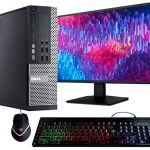
In an era dominated by sleek laptops, powerful tablets, and ever-present smartphones, the humble desktop computer might seem like a relic. Yet, walk into any serious design studio, financial trading floor, competitive gaming arena, or scientific research lab, and you'll find rows of these steadfast machines, humming with purpose. The desktop is far from obsolete; it has evolved, specializing into a tool of immense power, customization, and reliability that mobile devices simply cannot match. Understanding what a desktop is today reveals not just a piece of technology, but a philosophy of uncompromised performance and personal workspace.
This topic matters because the choice of a computer is foundational to how we work, create, and play. Confusion often arises between desktops, laptops, and all-in-ones, leading to poor purchasing decisions and frustration. This article will demystify the modern desktop computer. You will learn its core components, the distinct advantages it holds over portable devices, the various forms it takes, key considerations for choosing one, and its exciting future in a mobile-first world. Whether you're a student building your first PC, a professional seeking a productivity powerhouse, or a casual user curious about the technology on your desk, this guide provides the comprehensive insight you need.
Defining the Desktop: More Than Just a Box
At its most fundamental, a desktop computer is a personal computing system designed for a single, stationary location. Its defining characteristic is physical separation: the main processing unit (the tower or case) is a distinct component from the display monitor, keyboard, and mouse. This modularity is the desktop's greatest strength and what differentiates it from laptops and all-in-ones, where all hardware is integrated into a single chassis. The "desktop" metaphor itself originates from the graphical user interface (GUI), where the screen represents a physical desk, complete with documents, folders, and a trash can, providing an intuitive digital workspace.
The core anatomy of a desktop revolves around the central case. Inside this case lies the motherboard, the main circuit board that acts as the nervous system, connecting all critical components. These include the Central Processing Unit (CPU) or processor, which is the brain of the computer; Random Access Memory (RAM), which provides short-term data storage for active tasks; storage drives (like SSDs or HDDs) for long-term file keeping; and the Graphics Processing Unit (GPU) or video card, which renders images and video. A power supply unit (PSU) provides electricity, and cooling systems (fans or liquid coolers) prevent overheating.
This internal architecture is not just a technical specification; it dictates the machine's potential. Because space is less constrained than in a laptop, components can be larger, more powerful, and generate more heat without throttling performance. This allows for superior cooling solutions, which in turn enable processors and graphics cards to run at higher speeds for longer periods. Essentially, the desktop's form factor is engineered for sustained, high-performance computing, making it the preferred choice for demanding applications where laptops would struggle or become uncomfortably hot.
The Unbeatable Advantages: Why Choose a Desktop?
The primary advantage of a desktop is raw, upgradable performance per dollar. You can invest in a more powerful CPU, a top-tier GPU for 8K gaming or 3D rendering, and vast amounts of RAM for a fraction of the cost of a laptop with similar specs. There is no engineering premium for miniaturization. This makes desktops the undisputed champions for resource-intensive tasks like video editing, game development, engineering simulations, and scientific computing. A high-end desktop from 2026 can handle real-time ray tracing, AI model training, and 360-degree video production with ease.
Beyond peak performance, desktops offer unparalleled customization and longevity. Individual components can be upgraded over time. You can start with a capable machine and, years later, swap out the graphics card for a newer model, add more RAM, or install a faster, higher-capacity SSD without replacing the entire system. This modularity extends to peripherals: you can choose an ultra-wide monitor for immersion, a mechanical keyboard for typing comfort, and a high-precision mouse tailored to your grip. You create an ecosystem perfectly suited to your ergonomics and workflow.
Finally, desktops provide superior ergonomics and repair-ability. The monitor can be placed at eye level, and the keyboard and mouse positioned optimally, reducing neck and wrist strain during long sessions. When a component fails, diagnosis and repair are generally more straightforward than with a soldered-shut laptop. You can often replace a faulty part yourself, extending the system's life and reducing electronic waste. For businesses and power users, this combination of power, personalization, and maintainability offers a compelling total cost of ownership and a superior user experience.
Forms and Flavors: From Tower to Tiny
The image of a hulking full-tower PC is just one variant. Today's desktops come in several form factors to suit different needs and spaces. The Full-Tower and Mid-Tower are the most common for enthusiasts and professionals. They offer ample space for multiple graphics cards, several storage drives, advanced liquid cooling systems, and showy RGB lighting. These are the workhorses for hardcore gamers, streamers, and content creators who demand maximum expandability and cooling.
On the other end of the spectrum are Small Form Factor (SFF) and Mini PCs. These compact machines, some no larger than a hardcover book, are perfect for office work, home theater PCs (HTPCs), or as discreet workstations in tight spaces. Advances in chip efficiency have allowed these mini powerhouses to pack surprising performance. For example, a 2026 mini-PC with a modern APU (Accelerated Processing Unit) can handle 4K media playback, everyday productivity, and even light gaming, all while sipping power and sitting silently on a desk or behind a monitor.
Two other important categories are All-in-One (AIO) computers and pre-built versus custom-built systems. AIOs integrate the computer's internals into the back of the monitor, offering a clean, cable-minimal setup ideal for reception areas, kitchens, or minimalist offices, though they sacrifice upgradability. The choice between a pre-built system from a major manufacturer and a custom-built PC is significant. Pre-builts offer convenience and warranty support, while custom building (or commissioning one) allows for exact component selection, often better value, and the satisfaction of a personalized machine.
Choosing Your Champion: Key Buying Considerations
Your first step is to honestly assess your primary use case. Are you a competitive gamer targeting high frame rates at 1440p or 4K resolution? Then your budget should prioritize a powerful GPU and a high-refresh-rate monitor. Are you a video editor working with 8K RAW footage? Focus on a multi-core CPU, 32GB+ of fast RAM, and a large, speedy NVMe SSD for your project files. For general home office use, web browsing, and streaming, a balanced system with a modern integrated GPU, 16GB of RAM, and a 1TB SSD will provide a smooth and responsive experience for years.
The second consideration is your upgrade philosophy. If you want a system that can evolve, ensure you choose a desktop with a motherboard that supports future CPU generations (check the socket type), has extra RAM slots, and includes a power supply with enough wattage and connectors for a more powerful graphics card later. Opt for a case with good airflow and room for additional components. If you prefer a "set it and forget it" approach, a well-specced pre-built or AIO might be more suitable, with the understanding that you'll likely replace the entire unit in 5-7 years.
Finally, do not neglect peripherals and the operating system. A $2000 desktop paired with a poor, low-resolution monitor will be a frustrating experience. Allocate funds for a quality display that matches your needs—whether that's color accuracy for photo editing, refresh rate for gaming, or size for multitasking. A comfortable keyboard and mouse are crucial for long-term use. Also, remember that most pre-built systems include an OS (like Windows 12 or a Linux distribution), while custom builds require you to purchase and install one separately, adding to the total cost.
The Future Desktop: Niche, Node, and Neural Hub
Looking ahead to the late 2020s and beyond, the desktop's role will continue to specialize. It will become the "power node" in a personal ecosystem of devices. Imagine a world where your lightweight laptop or tablet handles mobile tasks, but seamlessly connects to your desktop at home or work to offload heavy computations, access vast local storage, or drive advanced augmented reality (AR) experiences. The desktop acts as a private, powerful server within your personal network, a concept already emerging with cloud gaming and remote workstations.
Technological integration will deepen. We are already seeing the incorporation of AI acceleration cores directly into CPUs and GPUs. Future desktops will leverage this for real-time tasks far beyond today's capabilities: automatically upscaling video in real-time, managing complex system thermals and performance dynamically, providing ultra-responsive voice assistants that process data locally for privacy, and even collaborating with users on creative tasks. The desktop will be the local brain for smart home management and personal AI agents.
Furthermore, the ethos of the desktop—customization, ownership, and repairability—is aligning with growing sustainability concerns. The right-to-repair movement and modular design philosophies championed by the desktop PC community are becoming more mainstream. Future desktops may feature even more standardized, tool-less components, making upgrades and repairs trivial. This positions the desktop not as a disposable appliance, but as a long-term, adaptable platform, appealing to users who value performance, privacy, and planetary responsibility equally.
Key Takeaways
- ✓ A desktop computer is defined by its modular, stationary design, separating the main processing tower from the display and peripherals, which allows for superior power and customization.
- ✓ The core advantages of desktops include higher performance per dollar, extensive upgradeability for longer lifespan, better ergonomics, and easier repairs compared to integrated devices like laptops.
- ✓ Desktops come in multiple form factors, from expansive full-towers for enthusiasts to tiny Mini-PCs for casual use, with All-in-Ones offering a sleek, integrated alternative at the cost of upgradability.
- ✓ Choosing the right desktop requires analyzing your primary tasks (gaming, creation, office work), planning for future upgrades, and budgeting for quality peripherals like monitors and input devices.
- ✓ The future desktop will evolve into a powerful hub or "node" within a personal device ecosystem, deeply integrated with AI for enhanced capabilities and championing modular, repairable design for sustainability.
Frequently Asked Questions
Is a desktop or laptop better for a college student in 2026?
It depends on the student's major and lifestyle. For engineering, computer science, graphic design, or any major requiring specialized software, a powerful desktop in their dorm room paired with a cheap, lightweight laptop or tablet for note-taking in class is often the best combo. For students who need a single device for both classwork and studying in libraries, a high-performance laptop remains the more practical, though more expensive, choice.
Can I build my own desktop if I'm a complete beginner?
Absolutely. Building a PC has become more accessible than ever. With a wealth of online tutorials, step-by-step guides, and communities ready to help, it's a manageable project. Start by using a PC part picker website to ensure compatibility. The process teaches valuable skills and demystifies the technology. However, if the idea is daunting, many retailers offer "custom configure" services where you select the parts and they assemble and test it for you for a fee.
How long does a typical desktop computer last?
A well-built desktop can remain functionally useful for 5-8 years. Its longevity is its superpower. While you may not be running the latest games at max settings in year 7, you can extend its relevant life significantly through strategic upgrades. Adding more RAM, swapping in a new SSD, or installing a mid-range graphics card 3-4 years into its life can feel like getting a whole new machine for a fraction of the cost.
What's the biggest misconception about desktop computers?
The biggest misconception is that they are complicated, bulky, and obsolete. Modern desktops, especially Small Form Factor builds, can be sleek and quiet. Operating systems are identical to those on laptops, so the user experience is the same—just on a larger, often more comfortable screen. The perceived complexity is actually the gateway to greater control, better performance, and long-term savings.
Do I need a desktop for gaming, or are gaming laptops good enough now?
Gaming laptops have made impressive strides, but they still make compromises for portability. A desktop at the same price will always deliver higher and more sustained performance, better cooling (meaning less thermal throttling), and a more immersive experience with a larger, higher-quality monitor. For a dedicated gaming setup at home, a desktop is the superior choice. A gaming laptop is the choice if you must game in multiple locations or have extreme space constraints.
Conclusion
The desktop computer, far from being a dinosaur, has matured into a specialized and potent tool. We have explored its core definition as a modular system, its compelling advantages in power, customization, and ergonomics, the diverse forms it takes to fit any space or need, and the critical factors to consider when bringing one into your life. Its future is not one of replacement by mobile devices, but of deeper integration as the powerful, private hub of our digital ecosystems.
Your next step is to evaluate your own computing needs. Consider the tasks that slow you down, the software you aspire to use, and the workspace you inhabit. Whether you decide on a pre-built mini-PC for simplicity, embark on the rewarding journey of building your own tower, or invest in a professional workstation, choosing a desktop is an investment in uncompromised capability and a personalized digital command center. The desktop remains, unequivocally, the foundation of serious computing.

Nathaniel Foster is an electronics expert focusing on consumer gadgets, smart devices, and innovative technology. He delivers practical reviews, buying guides, and troubleshooting tips to help readers make informed decisions and get the most out of their electronic products.